AWS Migration for Small IT Teams
A practical roadmap for small IT teams to plan, migrate and optimise workloads on AWS while minimising downtime and costs.
Small IT teams often face challenges when migrating to AWS, including limited staff, tight budgets, and the need to avoid downtime. But with proper planning and the right tools, you can choose cost-effective AWS services and streamline the process. Here’s what you need to know:
- Costs: Professional migrations (3-5 servers) can cost £5,000-£15,000, with ongoing AWS expenses ranging from £800 to £3,000 per month for UK small businesses.
- Savings Potential: A well-executed migration can cut compute and storage costs by up to 66% and overall cloud expenses by 31%.
- Timeline: Small businesses can complete migrations in 8-12 weeks, compared to 18 months for large enterprises.
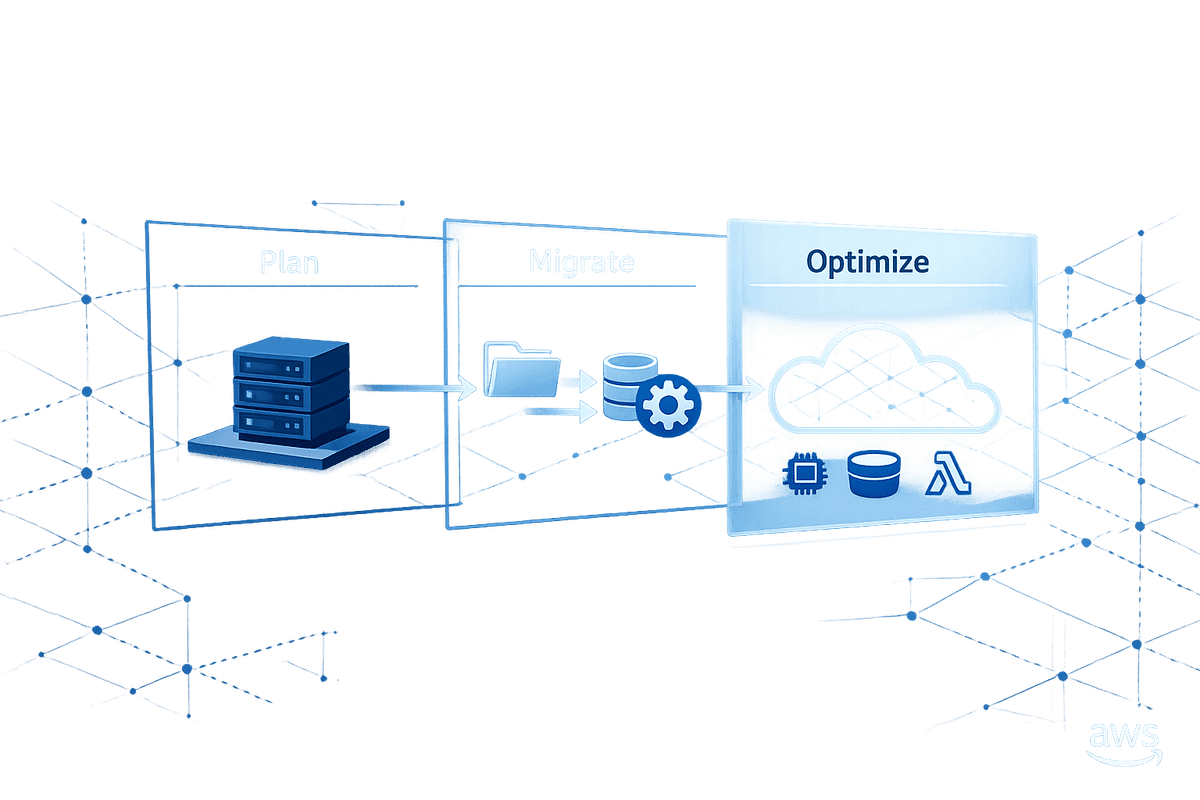
- Phases: The migration process is divided into four steps: Assessment, Mobilisation, Migration, and Optimisation.
Key Takeaways:
- Start with clear, measurable goals (e.g., monthly AWS spend or system recovery time).
- Use tools like AWS Application Discovery Service to prioritise workloads.
- Choose practical strategies like Rehost (lift-and-shift) or Replatform to balance speed and efficiency.
- Set up a secure AWS foundation, including multi-account structures, IAM Identity Centre, and Service Control Policies.
- Leverage AWS tools like Migration Hub and Application Migration Service (MGN) to simplify and automate the process.
Post-migration, focus on right-sizing resources, switching to cost-effective storage options, and using tools like AWS Compute Optimizer to manage expenses. Cost-saving measures, such as Savings Plans and Spot Instances, can reduce spending by up to 72% and 90%, respectively.
This guide provides a roadmap for small IT teams to migrate to AWS effectively while keeping costs under control. Start small, plan thoroughly, and optimise continuously to maximise the benefits of cloud migration.
AWS Migration Tools and AWS MGN Deep Dive
sbb-itb-0f2792e
Planning an AWS Migration with Limited Resources
Good planning can mean the difference between a smooth migration and an expensive misstep, especially for small teams working with tight budgets. For smaller IT teams, every decision needs to carefully balance ambition, expertise, and financial constraints.
Setting Realistic Migration Goals
Before migrating any servers, it’s important to define what success looks like. Vague objectives like "move to the cloud" won’t help when you’re faced with tough decisions. Instead, focus on clear, measurable goals. For example, you might aim for a specific monthly AWS spend in GBP, an acceptable Recovery Time Objective (RTO) for critical systems, or a target reduction in the hours spent managing infrastructure each week.
Scalability is another common motivator for UK small and medium businesses (SMBs), particularly in industries like retail and hospitality. If your current on-premises setup struggles to handle seasonal traffic spikes, such as the busy December period, that’s a concrete problem AWS can address. Write these pain points into your goals early on. According to recent data, 48% of SMEs adopt cloud solutions to cut costs, followed by 32% prioritising security and 20% focusing on scalability.
Once your goals are clear, take the next step: catalogue and prioritise your workloads so your migration plan aligns with these objectives.
Identifying and Prioritising Workloads
Start by creating an inventory of everything you’re running - servers, applications, databases, and their dependencies. Sorting these workloads by risk and value will help you figure out where to begin. For many, a simple spreadsheet will do the job. However, if your setup is more complex, AWS Application Discovery Service can automate the process. This tool scans your on-premises infrastructure and highlights actual usage patterns, often revealing that some "critical" applications aren’t as essential as they seem. These could be retired instead of migrated.
Non-critical systems, such as development servers, internal wikis, or file storage, are ideal starting points. They let your team gain hands-on experience with AWS without putting core business operations at risk.
"Migration is also an opportunity to audit what you actually need. Some applications are candidates for retirement rather than migration." - Carmatec
Choosing the Right Migration Strategy
Once you’ve assessed and prioritised your workloads, the next step is to choose a migration strategy that fits your team’s capabilities and aligns with your goals. AWS offers seven migration strategies: Retire, Retain, Rehost, Relocate, Replatform, Repurchase, and Refactor. For small IT teams, two of these strategies are particularly practical.
Rehost, often called "lift-and-shift", involves moving your existing servers to AWS EC2 with minimal changes. It’s the fastest option and requires the least technical effort, making it a great choice for teams with tight deadlines or limited staff. Replatform takes things a step further by replacing self-managed components - like swapping a self-managed database for Amazon RDS. This reduces ongoing management tasks without requiring a complete rewrite of your applications.
"For most UK SMBs, replatforming offers the best balance of migration speed and operational improvement." - Carmatec Digital UK
Here’s a quick comparison of strategies that work well for small teams:
| Strategy | Effort | Best-Fit Scenario | Primary Benefit |
|---|---|---|---|
| Rehost | Low | Tight deadlines and limited staff | Speed and minimal disruption |
| Replatform | Medium | Reducing database management overhead | Balance between effort and benefits |
| Repurchase | Low | Standard functions like CRM or HR | Eliminates maintenance burden |
| Retire | Low | Unused or redundant applications | Cuts costs and reduces complexity |
Refactoring, which involves rearchitecting applications for cloud-native patterns, is rarely the right starting point for SMBs. It’s a costly endeavour - ranging from £40,000 to £120,000 per workload - and is better suited for high-value applications once your team has gained experience with AWS.
Building a Secure and Scalable AWS Foundation
Laying the groundwork for a secure and scalable AWS environment is essential before migrating workloads. This upfront effort helps avoid costly fixes later and ensures your AWS migration strategy runs smoothly.
Setting Up Your AWS Account Structure
A well-organised account structure is the backbone of a successful migration. By using AWS Organisations, you can create multiple accounts instead of relying on a single consolidated one. This approach isolates environments, reducing the risks associated with misconfigurations.
With AWS Control Tower, you can automate the setup of a landing zone. This pre-configured, multi-account environment follows AWS best practices, simplifying the process. Since AWS Organisations is free, creating and managing accounts won’t add to your costs. To keep things structured, organise accounts into Organisational Units (OUs) based on their function:
| Organisational Unit | Purpose | Key Accounts |
|---|---|---|
| Security | Centralised logging and compliance | Log Archive, Audit |
| Workloads | Application environments | Dev, Staging, Production |
| Sandbox | Experimental and developer testing | Individual developer accounts |
| Suspended | Decommissioned accounts | Accounts pending deletion |
When registering AWS accounts, use a group email distribution list, such as aws-admins@yourcompany.co.uk. This prevents access issues if someone leaves the team. Keep the management account strictly for billing and organisation management tasks.
Configuring Security and Access Controls
Controlling access to your AWS environment is the next critical step. Avoid creating individual IAM users for human access. Instead, manage access centrally with AWS IAM Identity Centre (formerly AWS SSO). If your organisation uses Microsoft Entra ID or Google Workspace, you can integrate these systems to allow employees to log in using their existing credentials.
To enforce security across accounts, Service Control Policies (SCPs) act as guardrails. These policies define the maximum permissions available to any account in your organisation. Key SCPs to implement from the start include:
| SCP | Target | What It Prevents |
|---|---|---|
| Deny Root User Actions | All accounts | High-risk root actions |
| Restrict Regions | Root OU | Resource creation in unapproved AWS regions |
| Deny S3 Public Access | Workloads / Sandbox | Accidental public exposure of data |
| Protect Log Archive | Security OU | Deletion or modification of audit logs |
Additionally, enable encryption at rest across core services like EBS volumes, S3 buckets, and RDS databases using AWS Key Management Service (KMS). Keep in mind that KMS incurs charges for storing customer-managed keys and API calls.
Configuring Networking and Monitoring
For each environment - development, staging, and production - set up a dedicated Amazon VPC. Assign non-overlapping CIDR blocks and plan for 3–5 years of growth to avoid future re-addressing headaches.
On the monitoring side, enable AWS CloudTrail across all accounts from the start, and direct logs to a dedicated Log Archive account. Use VPC Flow Logs and AWS Config for deeper insights into activity, and apply S3 Object Lock (WORM mode) to preserve immutable audit trails. To stay on top of potential issues, configure CloudWatch Alarms for critical metrics like CPU usage, error rates, and billing thresholds.
With these networking and monitoring measures in place, your AWS foundation is well-prepared for the next phase of migration.
Running an AWS Migration with a Small Team
Once your AWS setup is ready, the next step is carrying out the migration itself. For small IT teams, success lies in keeping the process organised and leveraging automation. AWS's native tools can handle much of the heavy lifting, allowing your team to work efficiently.
Organising Your Migration into Waves
To minimise disruption, break your migration into logical groups, or "waves", that consist of interdependent applications and servers.
"A migration wave is a collection of applications and infrastructure that have technical and nontechnical dependencies that require the group is migrated at the same time." - AWS Migration & Modernisation Blog
Start with AWS Migration Hub to map out your on-premises servers. This tool helps group servers into applications, assign them a Wave ID, and generate Amazon EC2 instance recommendations based on actual usage data. This approach ensures resources are sized appropriately from the outset, avoiding over-provisioning. Applications within the same Wave ID can then be migrated as a single unit using AWS Application Migration Service (MGN), enabling bulk operations instead of tackling each server individually.
AWS Migration Tools to Know
For smaller teams, AWS Application Migration Service (MGN) is often the go-to tool for lift-and-shift migrations. It continuously replicates source servers - whether physical, virtual, or hosted elsewhere - and converts them to run natively on Amazon EC2. The replication process runs in the background, ensuring live systems remain operational.
| Tool | Primary Function | Best Use Case for Small Teams |
|---|---|---|
| AWS MGN | Automated rehosting | Migrating physical or virtual servers with minimal downtime |
| Migration Hub | Planning & tracking | Grouping servers into waves and monitoring progress |
| Migration Hub Orchestrator | Workflow automation | Automating complex, multi-step migrations using templates |
| MGN Connector | Agent deployment | Simplifying agent installation across multiple servers |
| Application Discovery Service | Discovery | Identifying server dependencies and providing sizing recommendations |
To save time, deploy the MGN Connector on a dedicated Linux server. This allows you to automate the installation of migration agents across multiple servers using SSH or WinRM. For more complex migrations, Migration Hub Orchestrator offers templates like the "Rehost applications on Amazon EC2" playbook, which guides your team through each step and provides a clear overview of progress - all at no extra cost.
Once your tools are configured, test the process thoroughly before moving forward.
Cut-Over and Post-Migration Checks
Use MGN to run test launches, ensuring connectivity and application behaviour are functioning as expected without affecting live systems. When you're ready for the final cutover, MGN's continuous replication keeps source and target environments synchronised, reducing downtime. After a wave is successfully migrated and validated, mark the servers as archived in the MGN console to avoid unnecessary staging area charges.
After migration, perform a detailed review to ensure everything is functioning as intended. Check application performance against pre-migration benchmarks, confirm CloudWatch alarms are working, and verify IAM permissions are correctly configured as part of your security post-migration. Review VPC Flow Logs for any unexpected traffic patterns. Logs and outputs from Orchestrator workflow steps, stored in S3, make troubleshooting straightforward. Once a wave is stable, you can begin shutting down the corresponding legacy systems.
With your migration waves complete and old systems retired, the next step is fine-tuning your AWS environment for peak performance.
Optimising AWS After Migration
AWS Migration Cost-Saving Strategies for Small IT Teams
Once your workloads are up and running on AWS, the real work begins. Migration is just step one - the choices you make in the weeks and months ahead will shape whether your AWS setup stays efficient and cost-effective or turns into an expensive headache.
Right-Sizing and Updating Workloads
It's tempting to stick with the instance sizes you chose during migration, but that can lead to unnecessary costs. AWS Compute Optimizer is a handy tool that examines how you're actually using resources like CPU, memory, and storage. Based on this data - collected over 14 days (or up to 93 days with enhanced metrics) - it suggests the best sizes for your EC2 instances, EBS volumes, Lambda functions, and ECS on Fargate. Keep in mind, though, that memory-based recommendations require the CloudWatch agent; without it, memory usage data won't be available.
When evaluating Compute Optimizer's suggestions, focus on the 99th percentile or maximum utilisation figures rather than averages. This ensures your instances can handle peak loads without performance issues.
Also, think about whether some workloads could benefit from managed services. For example, moving from self-managed EC2 databases to Amazon RDS, or shifting containerised workloads to Amazon ECS or AWS Fargate, can simplify operations and make scaling easier. Two quick adjustments to consider right away: switch EBS volumes from gp2 to gp3 (which is about 20% cheaper per GB and offers separate IOPS pricing) and enable S3 Intelligent-Tiering for data with unpredictable access patterns. These changes can directly cut your monthly AWS bill, which is especially helpful for UK small businesses keeping an eye on costs.
Managing AWS Costs in GBP
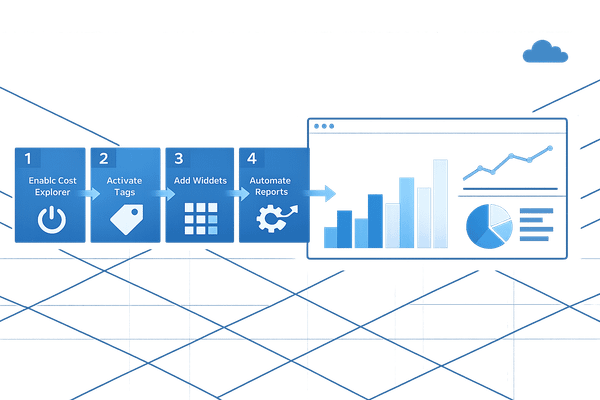
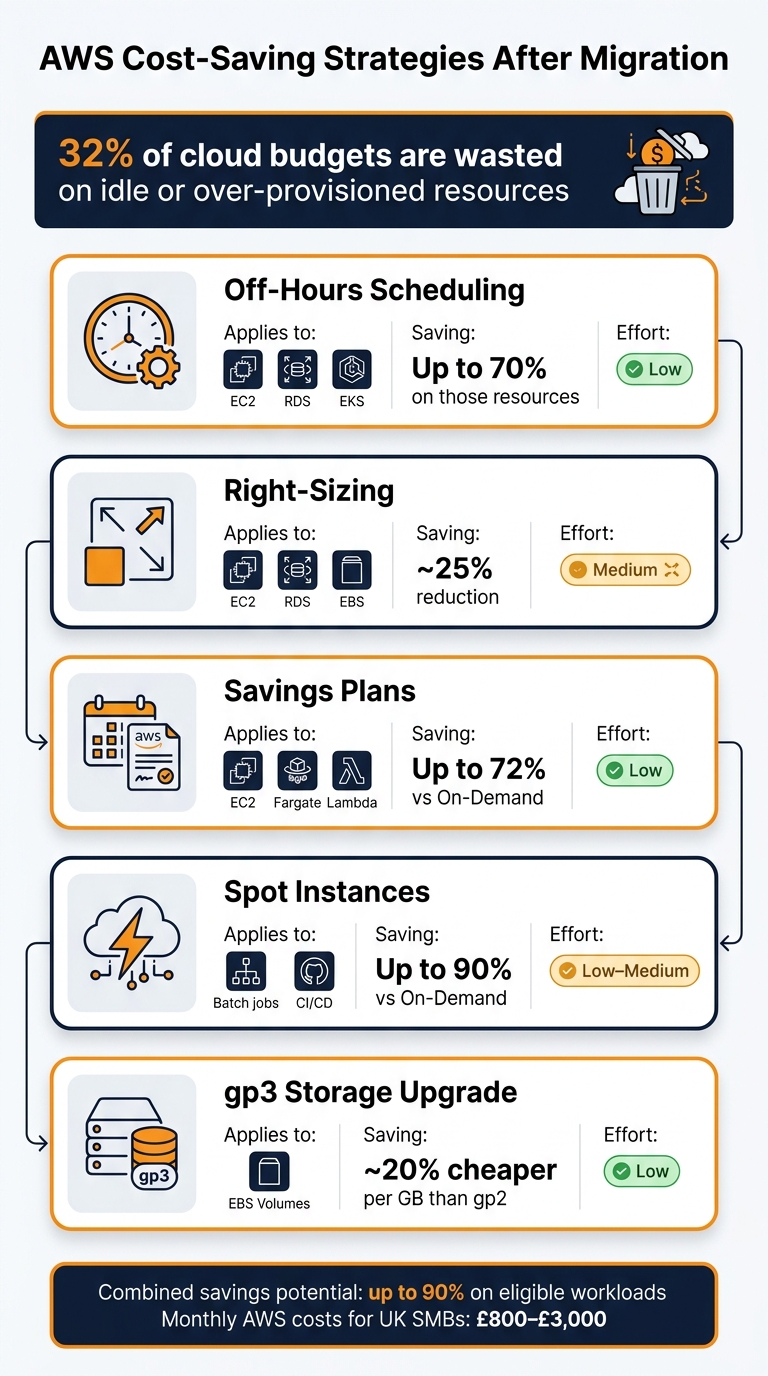
On average, businesses waste 32% of their cloud budgets on idle or over-provisioned resources. For UK small businesses, it's crucial to have a clear view of where your money is going. Start by enabling the AWS Cost and Usage Report (CUR) and activating cost allocation tags. At a minimum, tag resources by environment, application, and owner to make tracking easier in AWS Cost Explorer.
"AWS cloud spend is one of the fastest-growing costs for UK technology businesses, and it is also one of the most controllable." - Sonny Sehgal, CEO, Transputec
To start saving, shut down idle non-production resources, clean up unused EBS volumes and Elastic IPs, and consider Savings Plans for your stable compute needs. Savings Plans can cut costs by up to 72% compared to On-Demand pricing. For fault-tolerant jobs like batch processing, Spot Instances can reduce costs by as much as 90%. Here's a quick summary of key cost-saving strategies:
| Lever | Where It Applies | Typical Saving | Effort |
|---|---|---|---|
| Off-hours scheduling | EC2, RDS, EKS | Up to 70% on those resources | Low |
| Right-sizing | EC2, RDS, EBS | ~25% reduction | Medium |
| Savings Plans | EC2, Fargate, Lambda | Up to 72% vs On-Demand | Low |
| Spot Instances | Batch jobs, CI/CD | Up to 90% vs On-Demand | Low–Medium |
| gp3 Storage | EBS Volumes | ~20% cheaper per GB than gp2 | Low |
To avoid unexpected cost spikes after migration, set up AWS Cost Anomaly Detection. This tool can alert your team to unusual spending patterns before they spiral out of control.
Keeping Operations and Security on Track
While managing costs is a priority, maintaining smooth operations and solid security is just as important. For small teams, heavy operational processes can be overwhelming. Instead, create lightweight runbooks for routine tasks like patching, checking backups, and responding to incidents. Even a simple document outlining the most common failure scenarios can save a lot of time when something goes wrong.
On the security front, tools like AWS Config can help by continuously tracking configuration changes and flagging issues - for instance, if a security group suddenly allows unrestricted access. Using such tools regularly ensures security remains manageable without needing a dedicated team.
"The most successful teams treat cost as a first-class metric, the same way they treat latency and reliability." - Tasrie IT Services
For more tips on optimising costs, making architecture decisions, and handling security, check out the AWS for SMBs blog by Critical Cloud. It's a valuable resource as your AWS setup evolves.
Conclusion: Key Takeaways for Small IT Teams
Migrating to AWS successfully hinges on a well-thought-out strategy. Teams that excel are those who prioritise detailed planning before making any changes, establish a secure infrastructure from the outset, including robust AWS backup solutions, and proceed in manageable stages instead of rushing the process. As Carmatec Digital UK aptly stated: "The gap between a successful migration and a costly, disruptive one often comes down to decisions made in the first few weeks of planning." These early choices can significantly influence both operational performance and budget control.
The potential savings are hard to ignore: moving to AWS can reduce costs by 30–50% over a three-year period, offering substantial financial relief. For small businesses in the UK, monthly AWS costs typically range from £800 to £3,000 - a predictable and scalable alternative to the unpredictable expenses tied to outdated infrastructure.
To avoid costly mistakes, implement best practices from the start. Use least-privilege IAM roles, enable multi-factor authentication (MFA), and set up security tools like Amazon GuardDuty. Skipping these steps can lead to rework costs that may exceed £625,000 per migration.
After migration, remember that optimisation isn't a one-time task. Regular reviews, cost alerts, and incremental adjustments can lead to significant long-term savings. Think of optimisation as an ongoing commitment that pays off over time.
For more practical advice on AWS optimisation, cost management, and security tailored to UK small and medium-sized businesses, check out AWS Optimization Tips, Costs & Best Practices for Small and Medium sized businesses.
FAQs
Which applications should we migrate first?
For smaller IT teams, it's smart to begin with low-risk, low-complexity workloads. These could include things like internal tools, development or testing environments, or standalone applications with few dependencies. Starting here allows you to gain hands-on experience and fine-tune processes. Plus, it minimises the chance of disruptions to key operations. By focusing on these manageable transitions first, you can build confidence while keeping costs under control.
How can we minimise downtime during cutover?
To minimise downtime during a cutover, consider adopting a phased strategy to gradually shift traffic while keeping an eye on performance metrics. Plan the cutover during periods of low traffic to reduce impact, and take advantage of automated tools like AWS CloudFormation to handle provisioning and perform regression testing efficiently.
For instant traffic redirection, update your DNS settings or adjust load balancers as needed. Additionally, utilise Change Data Capture (CDC) through AWS Database Migration Service to ensure environments remain synchronised. Most importantly, always prepare a thoroughly tested rollback plan to address any unexpected issues.
How do we stop AWS costs rising after migration?
Managing AWS costs effectively after migration requires consistent effort and monitoring. Here are some practical steps to help:
- Track Spending with AWS Cost Explorer: This tool provides insights into your AWS usage and costs. Use it to identify trends and areas for optimisation.
- Tag Resources: Assign tags to resources based on their owner and environment. For example, tag resources by team or project to pinpoint responsibility and improve cost allocation.
Regular maintenance is key to avoid unnecessary expenses:
- Review Idle Resources: Look for unused assets like unattached EBS volumes and remove them.
- Optimise Instances: Analyse usage patterns and adjust instance sizes to better match your needs.
- Automate Non-Production Shutdowns: Schedule automatic shutdowns for non-production environments during off-hours to save on costs.
Additionally, consider these cost-saving measures:
- Use S3 Storage Classes for Rarely Accessed Data: Move data that isn’t frequently used to more budget-friendly S3 storage tiers.
- Leverage Savings Plans: For workloads with consistent usage, Savings Plans can significantly reduce costs over time.
By making cost management a regular practice, you can ensure your AWS environment stays efficient and cost-effective.