Best Practices for AWS Test Automation Design
Automate AWS test environments and CI/CD, cut costs with Spot instances and scheduled shutdowns, run layered and resiliency tests, and manage synthetic test data.
AWS test automation can help small and medium-sized businesses (SMBs) save costs and improve testing accuracy by following AWS cost optimization tips by leveraging the cloud's pay-as-you-go model. This eliminates the need for idle servers and allows businesses to spin up and tear down production-scale environments as needed. However, managing cloud-based testing requires careful planning to avoid unnecessary expenses and ensure consistency.
Key takeaways include:
- Automating Test Environments: Use AWS CloudFormation and CodePipeline to programmatically provision, manage, and decommission environments. This reduces errors and prevents orphaned resources.
- Layered Testing Strategy: Combine unit, integration, and end-to-end tests to catch issues early and ensure system reliability.
- Cost Control: Optimise costs by using Spot Instances, tagging resources, and automating shutdowns of unused resources. For example, shutting down test environments outside business hours can cut costs by up to 75%.
- Performance and Resiliency Testing: Use tools like AWS Fargate for distributed load testing and AWS Fault Injection Simulator for chaos testing.
- Test Data Management: Generate synthetic test data with AWS Glue or Amazon Bedrock and securely store datasets in Amazon S3. Automate data resets to maintain consistency.

AWS Test Automation Cost Savings Strategies Comparison
AWS re:Invent 2020: Testing software and systems at Amazon
1. Automating Test Environment Provisioning with AWS
Setting up test environments manually can lead to delays and inconsistencies. Various AWS automation tools like CloudFormation and CodePipeline tackle these issues by enabling environments to be defined, managed, and deployed programmatically. This automation ensures testing cycles are consistent and repeatable across AWS environments.
1.1 Using AWS CloudFormation for Infrastructure as Code
AWS CloudFormation allows you to define your test environments using templates written in JSON or YAML. These templates are stored in version control, and when resources are provisioned, they are created as a single unit called a "stack." This makes it easy to manage resources - entire stacks can be deleted in one step, avoiding the problem of unused resources quietly racking up costs.
By leveraging parameters, mappings, and conditions, a single CloudFormation template can be adapted for different environments. For example, you can configure the template to use lower-cost t3.micro instances for development and switch to c5.xlarge for load testing. Additionally, templates can automate the creation of Amazon RDS instances from specific snapshots. This ensures that every test run starts with the same dataset, maintaining consistency. As AWS documentation highlights:
Test environments should be identical between test runs; otherwise, it is more difficult to compare results.
AWS accounts can support up to 2,000 CloudFormation stacks per Region, which is more than sufficient for even the most complex testing needs.
Before deploying templates, validation tools can help catch errors early. For instance:
- Use the
cfn-lintcommand-line tool to check templates against AWS's CloudFormation Resource Specification. - TaskCat can test stacks across multiple AWS Regions to ensure they work seamlessly in different locations.
For more intricate setups, the AWS Cloud Development Kit (CDK) allows you to define infrastructure in programming languages like Python or TypeScript. The CDK generates CloudFormation templates, but remember to commit the cdk.context.json file to version control. This ensures that synthesis results remain consistent and aren't influenced by external factors.
1.2 Connecting CodePipeline for Deployment Automation
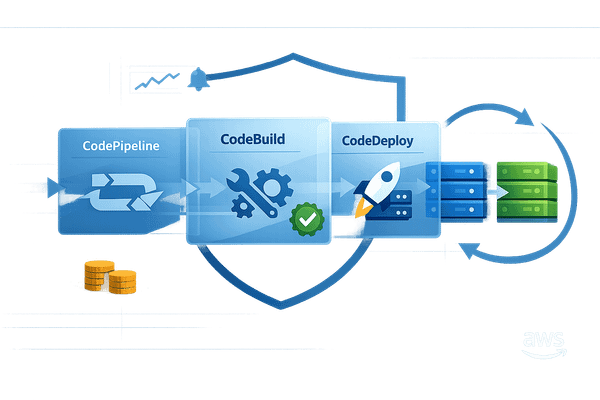
CodePipeline builds on CloudFormation's capabilities by automating the deployment process. It orchestrates the entire test lifecycle, from environment setup to teardown. By integrating CloudFormation templates into CodePipeline, you can automatically provision test environments at the start of each run and decommission them immediately after. This eliminates the risk of leaving unused resources running and incurring unnecessary costs.
To avoid resource conflicts, configure your pipeline to allow only one execution at a time. Use output artifacts from earlier stages as input for the test stage to ensure the same code version is tested consistently. If you're using CodeBuild as part of the pipeline, disable webhooks to prevent double billing for identical builds triggered by both the webhook and the pipeline.
The AWS CLI is invaluable for automation scripts. For example:
- Use
aws cloudformation deployinstead ofcreate-stackbecause it’s idempotent, meaning it handles both creating and updating stacks seamlessly. - Include
aws cloudformation wait stack-create-completein your scripts to ensure infrastructure is fully operational before tests begin. - After testing,
aws cloudformation delete-stackensures temporary environments are removed.
To track costs and manage resources effectively, apply comprehensive tagging during stack creation using the --tags flag (e.g., Environment=Test and Owner=TeamA). For isolated development environments, follow AWS Prescriptive Guidance by appending usernames to stack names. This avoids naming conflicts when multiple developers are working in parallel:
Automated test processes should name resources to be unique for each developer... for example, update scripts... can automatically specify a stack name that includes the local developer's user name.
2. Building a Layered Testing Strategy in AWS
Creating an effective testing strategy involves combining unit, integration, and end-to-end tests. Unit tests focus on verifying that specific inputs produce the expected outputs, while integration tests examine how different components interact and handle results from one another. By layering these tests, developers can catch potential issues early in the development process, saving time and reducing the cost of fixing problems compared to addressing them in production. This structured approach also lays the groundwork for automation, enabling performance and resiliency testing on a distributed scale.
2.1 Running Unit and Integration Tests in CI/CD Pipelines
AWS CodeBuild is a key tool for running unit and integration tests within your CI/CD pipelines. Unit tests ensure that isolated pieces of code, such as business logic or API contracts, behave as expected. Integration tests, on the other hand, validate how multiple components or services work together, including their handling of side effects like data changes.
To keep costs low during early testing, LocalStack can be used to simulate AWS services within a Docker container. This tool supports services like S3, Lambda, and DynamoDB, making it possible to test Terraform or AWS CDK configurations locally without incurring AWS charges. While the Community version offers basic features for free, advanced capabilities require a Pro subscription.
When working with AWS CDK, dynamic resource naming can complicate testing. A practical solution is to expose resource identifiers via CloudFormation outputs with fixed export names, allowing test scripts to access them programmatically. Additionally, you can inject unique identifiers into request headers during automated tests. This makes it easier to filter logs, monitor activity, and trace test-specific data in CloudWatch or X‑Ray. These practices help pave the way for performance and fault tolerance testing at scale.
2.2 Distributed Load Testing with AWS Fargate
Scaling performance tests to simulate thousands of concurrent users requires robust infrastructure. The Distributed Load Testing on AWS solution simplifies this by leveraging Amazon ECS on AWS Fargate. Fargate runs containers that independently execute load test simulations, supporting tools like JMeter, K6, and Locust through the Taurus automation framework.
For businesses in the US East (N. Virginia) Region, the estimated cost of running this solution is about £24.50 per month. This setup can handle tens of thousands of concurrent users across multiple AWS Regions, making it an ideal choice for small and medium-sized businesses needing enterprise-level testing without high infrastructure costs.
When designing performance pipelines, follow these key steps: setup, test execution, reporting, and cleanup. To minimise interference and ensure accurate results, restrict performance pipelines to one active run at a time. Using a dedicated performance environment further reduces noise and simplifies troubleshooting.
2.3 Fault Injection Testing with AWS Fault Injection Simulator
To test system resilience, it’s essential to simulate failures. AWS Fault Injection Simulator (FIS) is a managed service designed for chaos engineering, intentionally disrupting components to verify recovery mechanisms. Integrating FIS into CodePipeline allows you to automate resiliency testing during deployments. If the system fails to recover from an injected fault, the pipeline can halt or roll back the deployment, serving as a safeguard.
As noted in AWS documentation:
Tests are a critical part of software development. They ensure software quality, but more importantly, they help find issues early in the development phase, lowering the cost of fixing them later during the project.
3. Reducing Costs in Test Automation Frameworks
Managing costs effectively in test automation helps maximise the benefits of automated provisioning and scheduling. By running test resources only when necessary - say, 40 hours instead of 168 hours a week - you can cut expenses by as much as 75%. This shift from always-on infrastructure to a pay-as-you-use model requires careful planning, especially when it comes to instance selection, tagging, and automating shutdowns. Let’s dive into these strategies to see how they can make a difference.
3.1 Using On-Demand and Spot Instances for Cost Savings
On-Demand Instances are billed at standard rates and are ideal for tasks like functional or UI testing. On the other hand, Spot Instances utilise unused AWS capacity at discounts of up to 90% compared to On-Demand pricing. These are particularly useful for stateless tasks, such as load testing or batch processing, where interruptions won’t derail the entire testing process.
However, Spot Instances come with a catch: they can be interrupted by AWS with just two minutes’ notice. This makes them less suitable for tests requiring continuous uptime. That said, for high-volume network load testing, the cost savings often outweigh the risks - especially if you’re using fault-tolerant frameworks that can automatically restart tasks.
| Feature | On-Demand Instances | Spot Instances |
|---|---|---|
| Cost | Standard hourly rate | Up to 90% discount |
| Interruption Risk | None | Can be interrupted with 2-minute notice |
| Best Use Case | Functional/UI tests | Load/batch tasks |
Choosing the right instance is just the start. Consistent tagging can further enhance cost management.
3.2 Tagging Resources for Cost Tracking and Accountability
Tagging resources consistently is key to improving cost visibility. Tags such as Environment, Project, or Owner enable teams to allocate expenses to specific automation projects. To track these costs in AWS Cost Explorer or Cost and Usage Reports, you’ll need to activate the tags as cost allocation tags in the Billing console.
"The capability to attribute resource costs to the individual organisation or product owners drives efficient usage behaviour and helps reduce waste." - AWS Well-Architected Framework
Common tags like CostCenter, Schedule, and WorkloadName are particularly useful. Tagging also helps identify orphaned resources - like instances or volumes left running after a project ends - so they can be shut down before they rack up unnecessary charges.
3.3 Automating the Shutdown of Unused Resources
Relying on manual shutdowns often leads to errors or overlooked resources. Tools like the AWS Instance Scheduler can automatically start and stop EC2 and RDS instances based on tags, such as Schedule: mon-9am-fri-5pm. This ensures that environments only run during business hours, saving both time and money.
For test automation pipelines, adding a "Clean up" stage in AWS CodePipeline can reset environments, restore databases, and delete temporary resources as soon as test results are collected.
Additionally, tools like CloudFormation or AWS CDK can help you provision and dismantle test environment stacks efficiently. Regular audits using AWS Trusted Advisor or Cost Explorer can further help you identify and eliminate idle resources, reducing waste.
For more tips on cost optimisation, check out the AWS for SMBs blog.
4. Managing Test Data in AWS
Managing test data effectively is key to ensuring reliable testing outcomes while protecting sensitive information and keeping costs in check. Poor-quality datasets can lead to unpredictable application behaviour and unnecessary overhead. By using AWS tools for synthetic data creation and leveraging Amazon S3 for storage, you can simplify test data management and maintain consistency across testing environments. This approach also complements automated environment provisioning and cost-saving measures discussed earlier.
4.1 Generating Synthetic Data for Test Automation
Generating accurate test data at scale is a cornerstone of effective test automation. API-driven approaches, such as using tools like JMeter, allow you to leverage existing business logic for automation. However, while this method is straightforward, it can be slower for more complex workflows. On the other hand, SQL-driven data generation quickly populates large datasets through backend database statements, though it requires direct database access and carries a risk of data corruption.
AWS offers several tools to simplify synthetic data generation. For example, Amazon Bedrock, powered by generative AI, can create datasets that include rare edge cases and defects. Additionally, AWS Glue PySpark serverless jobs allow for large-scale, configurable data generation using YAML-defined configurations. If you're working with real-time analytics, the Amazon Kinesis Data Generator offers a browser-based interface to create streaming test data effortlessly.
"Using poorly created dataset can lead to unpredictable application behavior in the production environment." - AWS Prescriptive Guidance
When real-world data is required, tools like AWS Data Migration Service (DMS) and Amazon Redshift Dynamic Data Masking help safeguard sensitive information through masking, encryption, or tokenisation. For maintaining consistent test environments, Amazon RDS snapshots allow you to initialise databases with pre-loaded datasets for each test run.
4.2 Storing and Managing Test Data with S3
After generating test data, secure and efficient storage becomes the next priority. Amazon S3 serves as a centralised storage solution for test datasets, logs, and results, enabling easy tracking of historical trends and supporting programmatic analysis. To ensure strict separation of test data from sensitive production information, consider maintaining separate AWS accounts for development, testing, and production environments. Within test setups, datasets can validate application logic, improve performance, and identify edge cases or data drift through random samples of recent data.
Automating data lifecycle management is another critical step. Resetting test data after every run ensures a clean slate for subsequent tests. For cost efficiency, transfer log data from compute instances to S3 immediately after test completion. This allows you to terminate EC2 instances while still retaining data for analysis. Proper test data management is just as important as automating test execution when aiming for scalable and cost-effective testing on AWS.
For more tips on improving your AWS testing setup, check out the AWS for SMBs blog.
5. Adding Automation to CI/CD Pipelines
Once you've streamlined your test environments and optimised costs, the next logical step is to introduce automation into your CI/CD pipeline. This ensures continuous quality checks while speeding up delivery. Instead of manually running tests after every code change, automated pipelines catch issues right away, reducing the chances of bugs making it into production. For SMBs using AWS, tools like CodePipeline and CloudWatch offer a solid framework for continuous testing without needing a dedicated infrastructure team. By combining efficient resource provisioning with automated CI/CD pipelines, you can maintain both quality and speed.
5.1 Using AWS CodePipeline for End-to-End Test Automation
With AWS CodePipeline, you can automate the entire delivery process, including triggering builds and tests. A critical step is adding a dedicated "Test" stage immediately after your Source or Build stages. This stage handles unit, integration, or load tests before the code moves forward.
AWS CodeBuild plays a key role here, running your test scripts as specified in a buildspec.yml file. CodePipeline passes the build outputs to CodeBuild, which executes the tests you’ve defined.
"Automated testing during the deployment process catches issues early, which reduces the risk of a release to production with bugs or unexpected behavior." - AWS Well-Architected Framework
To avoid unnecessary costs and duplicate builds, disable webhooks in CodeBuild. Additionally, inject unique test identifiers into headers during test execution. This makes it easier to filter logs and trace data in CloudWatch for each test run.
Post-test, automate environment resets and database cleanups to ensure each new test begins with a fresh setup. These steps can be seamlessly integrated into your pipeline's cleanup stage. To simplify troubleshooting, limit your pipeline to one concurrent run at a time.
| Pipeline Stage | Purpose | Recommended AWS Tool |
|---|---|---|
| Set up | Provision infrastructure and generate realistic test data | CloudFormation, CDK, S3 |
| Test Tool | Simulate real-world user loads | JMeter, K6, Distributed Load Testing on AWS |
| Test Run | Execute tests and monitor system health | CodeBuild, CodePipeline |
| Reporting | Collect and store results for analysis | CloudWatch, S3 |
| Clean up | Revert data changes and decommission resources | CloudFormation, Lambda |
5.2 Monitoring Test Automation Results with CloudWatch
Automated testing is only as effective as the insights you gain from it. That’s where Amazon CloudWatch comes in. It collects logs and metrics from CodeBuild actions, making troubleshooting easier. If a test fails in the "Test" stage of your pipeline, CloudWatch provides detailed logs to pinpoint the issue. Recording the start and end times of test runs allows you to generate filtered CloudWatch URLs for more focused analysis.
For load testing, CloudWatch can monitor error rates in real time. If error thresholds are crossed, you can configure it to stop the test automatically, saving resources and avoiding skewed data. By centralising test configurations and results in CloudWatch, you enable your pipeline to make automated "go/no-go" decisions based on metrics.
"Maintaining performance data centrally helps with providing good insights and supports defining success criteria programmatically for your business." - AWS Prescriptive Guidance
Set up CloudWatch alerts to notify your team when pipeline stages fail or when testing costs exceed specific thresholds. For deeper analysis, use CloudWatch Logs Insights to visualise patterns and run complex queries on your test outputs. Tracking metrics like the number of builds, average build time, and time to production helps identify bottlenecks and measure improvements over time.
6. Scaling Test Automation for SMBs
6.1 Balancing Performance and Cost for SMB Needs
Small and medium-sized businesses (SMBs) face the challenge of balancing thorough testing with limited budgets. AWS’s pay-as-you-go model is a great fit for test workloads, which tend to run sporadically rather than continuously.
One way to cut costs is by stopping inactive resources. Development and test environments are often only needed during standard business hours, roughly 40 hours a week. Shutting these down during off-hours can save up to 75% compared to running them continuously for 168 hours a week.
Another cost-efficient option is using Spot Instances for load testing. These instances can save up to 90% compared to On-Demand pricing. Since load tests are typically fault-tolerant and stateless, they’re perfect for Spot Instances. To optimise your spending even further, review 90 days of Spot Instance price history to refine your bidding strategy.
"The Cost Optimisation pillar includes the ability to run systems to deliver business value at the lowest price point." - AWS Well-Architected Framework
For test databases, Amazon RDS snapshots are a smart choice. You can launch a database snapshot for testing and delete it immediately after, ensuring both data consistency and reduced costs. Additionally, AWS Lambda is an excellent tool for API testing and small-scale tasks, as you only pay for the actual execution time.
Here’s a quick breakdown of cost-saving strategies:
| Strategy | Cost Benefit | Best Use Case |
|---|---|---|
| Spot Instances | Up to 90% savings | Stateless web servers, batch processing, load testing |
| Off-Hour Shutdown | ~75% savings | Development and manual QA environments |
| Serverless (Lambda) | Pay-per-use | API testing, small-scale automation tasks |
To keep costs in check, configure AWS Budgets with email alerts for spending thresholds. Tag all test resources by project, owner, or cost centre to quickly identify and remove unused resources. Automating the lifecycle of these environments using Infrastructure as Code tools like CloudFormation or AWS CDK can also streamline provisioning and teardown processes.
These practical steps align with earlier discussions on automating provisioning and testing effectively. For more tailored tips for SMBs, continue reading below.
6.2 Using the AWS for SMBs Blog for Practical Tips
While AWS documentation offers detailed technical guidance, SMBs often need advice tailored to their specific challenges, particularly when it comes to scaling efficiently on a budget. That’s where the AWS for SMBs blog, managed by Critical Cloud, comes in. It’s a treasure trove of practical insights designed specifically for SMBs leveraging AWS.
The blog dives into cost-saving strategies, cloud architecture approaches suited to SMB budgets, and automation tips that don’t require large DevOps teams. For test automation, you’ll find actionable advice on balancing performance with budget constraints, implementing Infrastructure as Code without overcomplicating things, and choosing the right AWS services for your needs.
Beyond test automation, the blog also tackles topics like security best practices, performance optimisation, and migration strategies - all with SMBs in mind, rather than enterprise-scale operations. This focus helps businesses avoid over-provisioning while still building reliable and scalable systems. With regularly updated, easy-to-apply tips, the blog is a handy companion to AWS’s official documentation when SMB-specific guidance is what you’re after.
Conclusion
Creating a scalable and cost-conscious test automation framework in AWS hinges on automating tests, leveraging cloud environments, and using resources only when needed. Tools like AWS CloudFormation and AWS CDK allow you to programmatically set up and tear down identical test environments, reducing errors and avoiding resource waste.
For small and medium-sized businesses (SMBs), keeping costs under control is especially important. The strategies discussed earlier are essential for smaller teams to stay competitive without exceeding their budgets.
"Automation makes test teams more efficient by removing the effort of creating and initializing test environments, and less error prone by limiting human intervention." - AWS Whitepaper
A robust test pipeline should include these five stages: preparing test data, choosing the right tools, running tests with effective monitoring, centralising reports, and cleaning up resources afterwards. The cleanup phase is critical to avoid unnecessary costs from unused resources. Tagging resources by cost centre or owner ensures accurate usage tracking and timely decommissioning.
FAQs
How does AWS CloudFormation help maintain consistent test environments?
AWS CloudFormation simplifies the process of maintaining consistent test environments by letting you define your infrastructure as reusable, version-controlled templates. These templates are deployed as stacks, ensuring that every environment is built with identical parameters and resource configurations. This approach eliminates the risk of manual setup errors and guarantees uniformity across all testing setups.
With CloudFormation automating infrastructure deployment, you save valuable time, reduce the chances of inconsistencies, and make it much easier to replicate environments for testing or troubleshooting. This is especially helpful for small and medium-sized businesses aiming to scale efficiently while keeping operations cost-effective.
How can Spot Instances help reduce testing costs in AWS?
Spot Instances are a budget-friendly option for running test workloads on AWS. They deliver the same performance as On-Demand instances but at a significantly lower cost. In fact, you could cut your compute expenses by up to 90% when using Spot Instances, making them a smart choice for non-critical or flexible testing tasks.
This cost-saving approach is particularly appealing for small and medium-sized businesses (SMBs) aiming to optimise their AWS spending while maintaining reliable performance. That said, Spot Instances come with a caveat - they can be interrupted if AWS needs the capacity elsewhere. Because of this, they’re best suited for tasks that can tolerate interruptions or be restarted without much hassle.
How can AWS Fault Injection Simulator improve system resilience?
The AWS Fault Injection Simulator is a tool designed to boost system resilience by enabling controlled fault-injection experiments. These simulations mimic potential failures in environments similar to production, helping uncover vulnerabilities and identify failure points.
Through these experiments, you can test and refine your recovery procedures. By pinpointing weaknesses and automating recovery workflows, you can build confidence in your system's ability to handle and recover from real-world disruptions, ensuring your workloads run with greater reliability and efficiency.